Cold Email Infrastructure
If Your Cold Email Reply Rates Keep Dropping After a Few Days, You Need to See This
Google and Microsoft rolled out an update to spam filters that understands what is spam on a foundational level. Much deeper than your spintax, domain history, or copy.
And there is something big that the market is overlooking that is going to save your email campaigns, and this is the reason why you see a drop in reply rate over time. It's not because of your messaging, your data or your spintax. It's because there's a secret piece of email delivery that has been around since SMTP came out but nobody seems to be talking about it.
You see, back in the day, before Instantly came out, and all this fancy B2B infrastructure talk, people used to make SMTP servers and send emails all the time no problem. In the beginning, email filters didn't really cut out spam. As time went on, people found email as a very cheap channel to get leads and more and more people started to use the channel. This created a very big problem for the customers of popular inbox companies (like Gmail and Outlook) that they would receive unsolicited mail. So data providers like Spamhaus and SpamCop came about. These are what are known as the "blacklists." These blacklists sell the data they collect to Google and Outlook in order for them to train their spam filters.
What These Spam Filters Look At
Now, what these spam filters do is look at a few things in your email:
- →Your DNS records being set up properly (DKIM, SPF, DMARC, etc.)
- →Your copy
- →Your domain score
- →Your delivery rate
- →And many other things
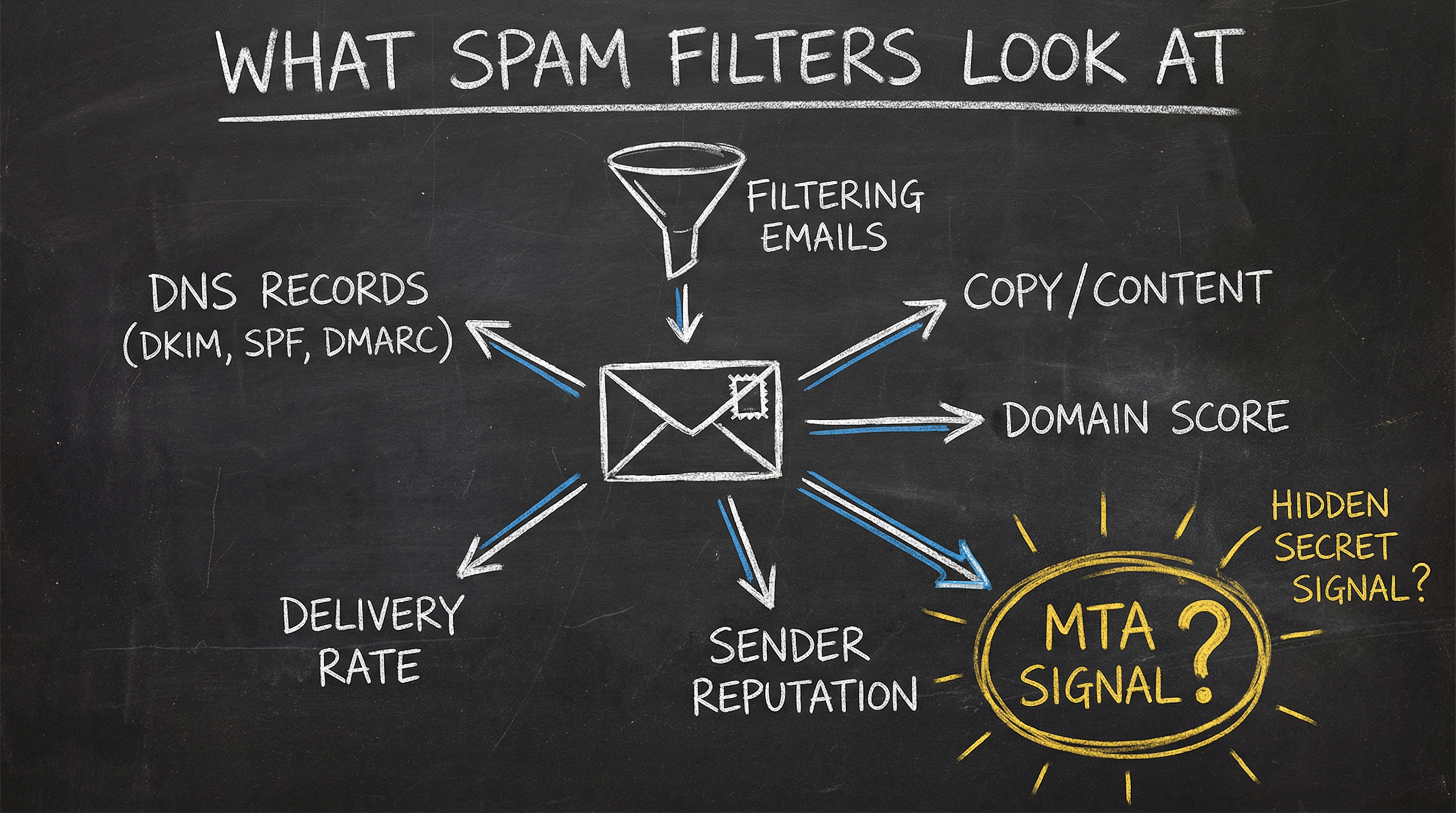
The Signal Nobody Is Talking About
Now something you might not have seen that is very important is, when you open up an email in Gmail or in Outlook, you can click "View more" or "View the headers of the email" and see all sorts of different information. You'll see who this is sent from, what DKIM authenticates the email, etc. But what you aren't recognizing and it hasn't been talked about before is that there's something called a Mail Transfer Agent—aka the MTA server.
How Mailbox Providers Actually Work Under the Hood
They are made up of a few components:
The MTA Server (Mail Transfer Agent)
This is the actual server that sends out the mail.
SMTP (The Protocol)
This is just the way that the computer, the Mail Transfer Agent, actually talks to the other receiving and outgoing parties.
Now, one SMTP server could have many MTA servers. These would be the actual agents or the actual transfer agents that are signing off every email.
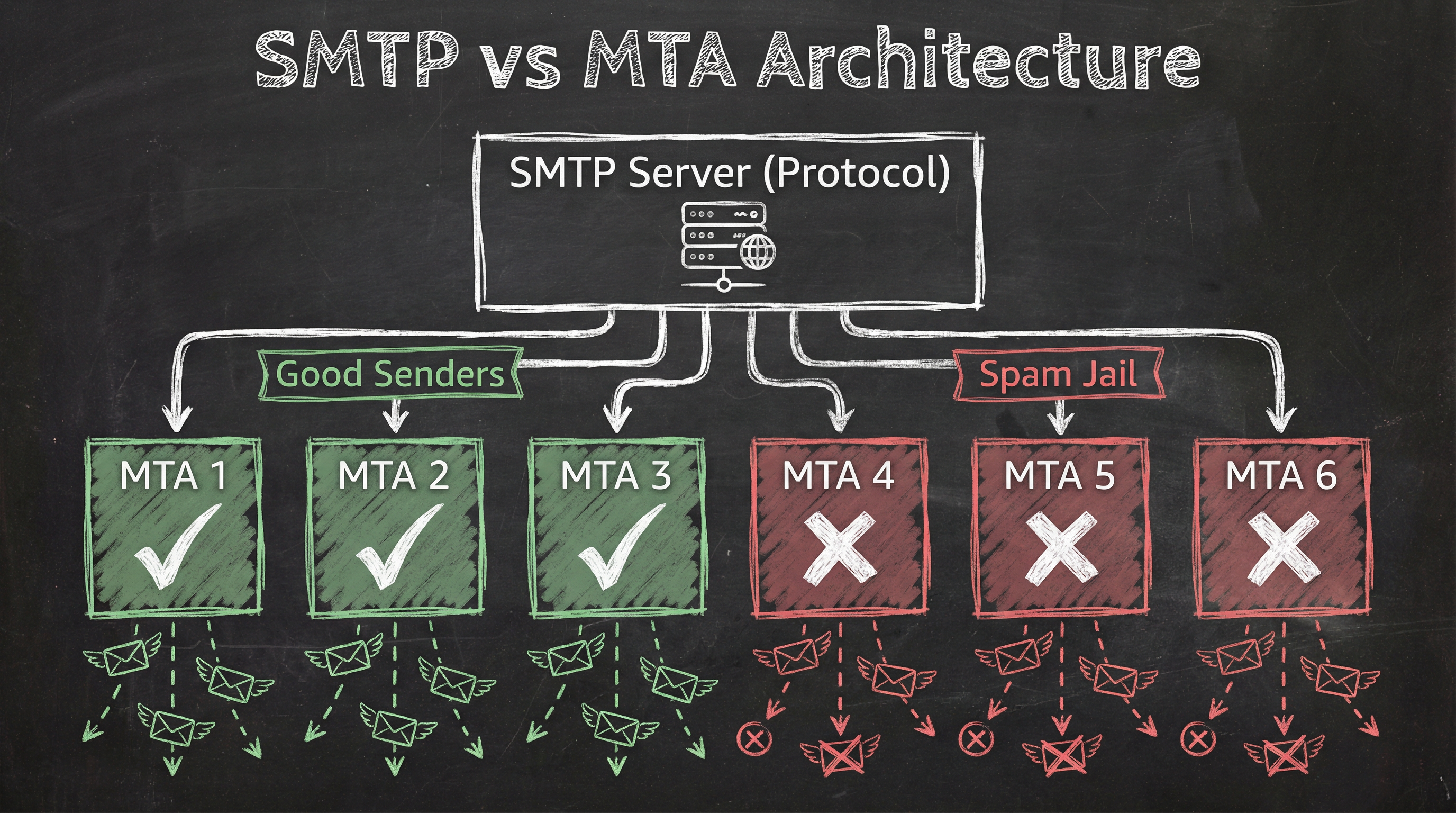
When you buy Outlook and Gmail accounts, Google and Microsoft themselves handle all these servers to make sure that each of the MTA servers stay off spam lists. This is one of the main reasons why people use them.
Here's What You Don't Understand
Every time you're buying inboxes from these inbox providers who are reselling Outlook and Gmail inboxes, including Instantly and Smartlead's Done For You inboxes, they come from either education panels, non-profit panels, or some sort of developer loophole license.
Which by the way Google and Microsoft know about (and at any moment can and will shut down)...
But these inboxes they sell you are all tied back to grouped MTA servers on Google or Outlook's network.
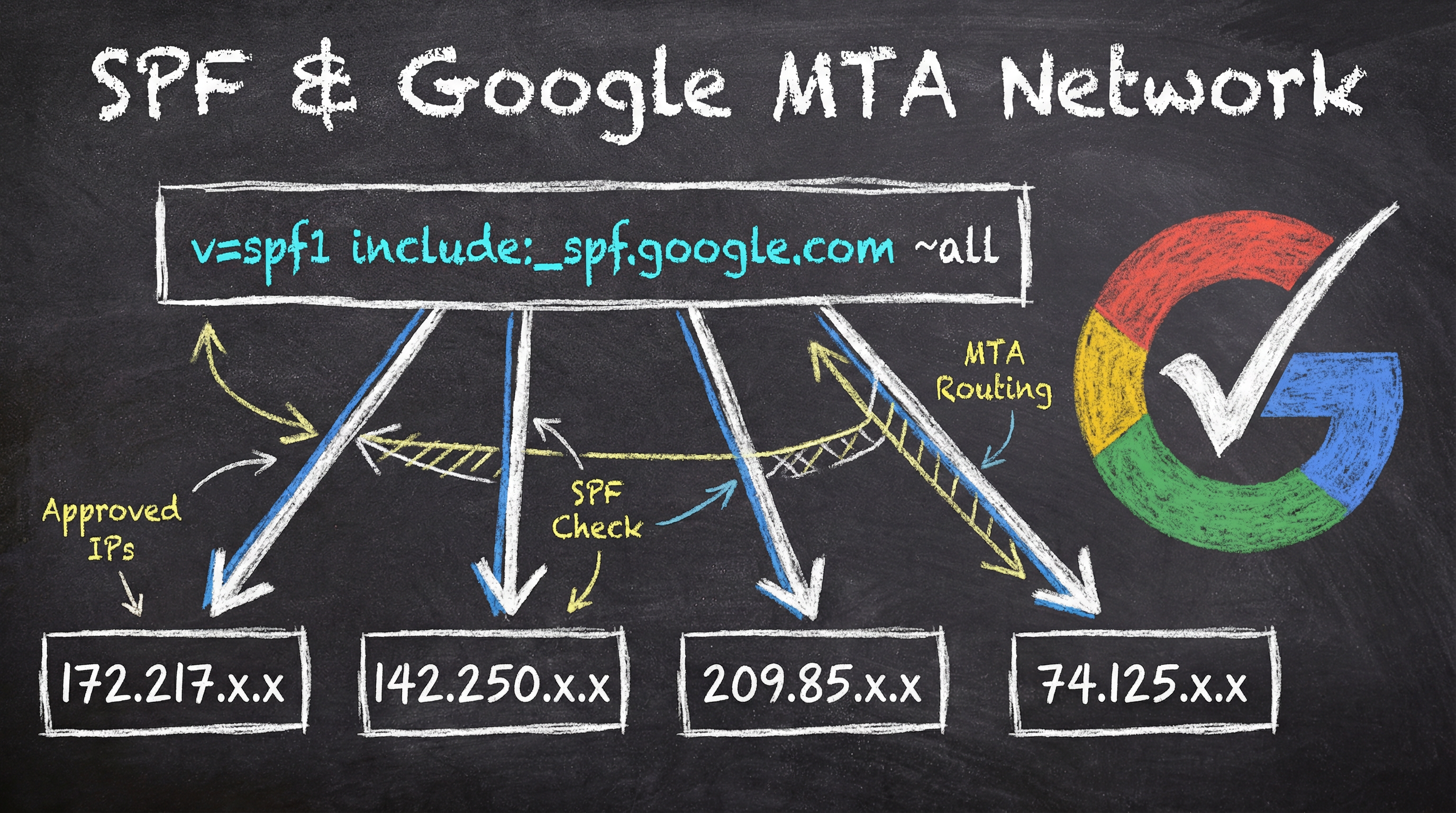
The Grouped MTA Problem
The issue with being on these grouped MTA servers is that Google and Outlook work hard to make sure their networks are known for superior delivery...
...But for them to achieve that—they need to make sure all bad senders don't affect the network. So they have a special algorithm for protecting the good traffic, and punishing the bad.
For example, Outlook and Google will put all bad senders on the same MTA in order to save their general good traffic being marked as spam.
This allows Google and Outlook to put tiers to the best and worst email customers. And this is why even when you're buying inboxes from these resellers, all you're doing is putting yourself in jail because Google and Outlook see this and they're not dumb. And it's very simple for them to figure out within a few days that you're just sending unsolicited email.
And if you are on your own dedicated SMTP or have bought from some other proprietary SMTP mailbox solution—that's even worse. All the customers from these providers are being signed by one MTA that shows every single receiver of any email sent by them that this is from a cold email network.
Do you really believe that the emails being sent from any of these solutions have good deliverability?
This is the reason your email campaigns will start out with good results and tank over time.
The Solution
How We Solved This
Now, after spending many years trying to figure out how to land in the inbox consistently and solve this problem, we figured out a way to partner with Microsoft to allow us to consistently be put on their good MTAs and have them sign off on every single email from their top delivering MTA servers.
The way we do this is by having proprietary sending infrastructure along with an agreement with Microsoft. We are able to control the traffic and have Microsoft not move what MTA server we're on—regardless of the quality of traffic being sent.
And after a lot of negotiation, we've finally been able to open this up to allow outside parties to be able to send on our network.
Now, due to the nature of the agreement we have with Microsoft, this would not work for true spammers who are sending extremely vulgar and risky offers. We're only able to take on qualified senders. If you're sending out real spam, this is not a solution for you.
We only work with good companies that have good ethics.
Here's How You Can Get Started
Ready to Fix Your Deliverability?
Simple per-domain pricing. No hidden costs. Cancel anytime.
Starter
1-5 domains
- 100 mailboxes per domain
- MTA-level signing by Microsoft
- 48-hour deployment
- Email support
Adjust quantity at checkout
Growth
6-20 domains
- 100 mailboxes per domain
- MTA-level signing by Microsoft
- 48-hour deployment
- Priority support
- Slack channel
Adjust quantity at checkout
Scale
21+ domains
- 100 mailboxes per domain
- MTA-level signing by Microsoft
- 48-hour deployment
- Dedicated support
- Custom configuration
Adjust quantity at checkout
Need custom capacity? Contact us